
If you send an email via iOS, a signature will be automatically added in your reply, such as Sent from my iPhone. But do you know that you can customize this signature as well?
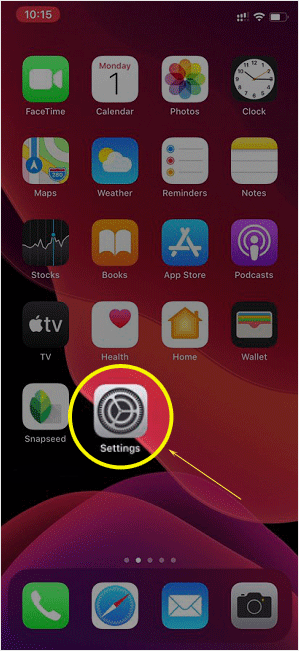
1. Open the main screen of your Apple Mobile and click on the Settings icon.
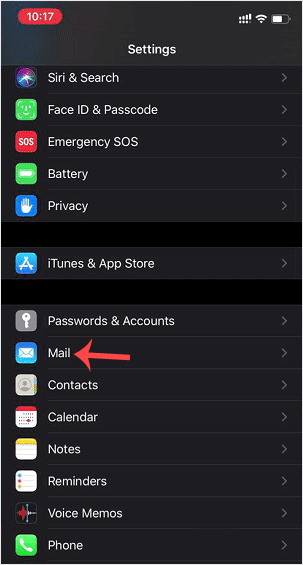
2. Scroll down and tap on Mail.
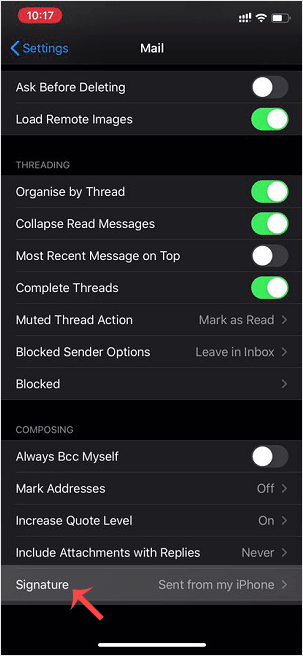
3. Now tap on Signature.
4. Customize your signature.
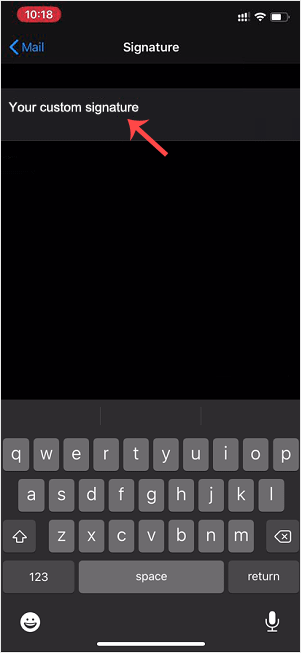
After changing it, your iOS will send your customized signature instead of the default signature.
Base de Conhecimento
Se você não encontrar a solução para seus problemas em nossa base de conhecimento, poderá enviar um ticket selecionando o departamento apropriado abaixo.
How to Change the Signature of an Apple/iOS (Sent From My iPhone)
0
Esta resposta foi útil?
Back
Updated knowledgebase article view