
We recommend changing the disk driver to Virtio or IDE before installing the operating system. Only change this before installing/reinstalling the OS.
1. Log in to your SolusVM Control Panel.
2. If you have multiple VPSs, select the appropriate one.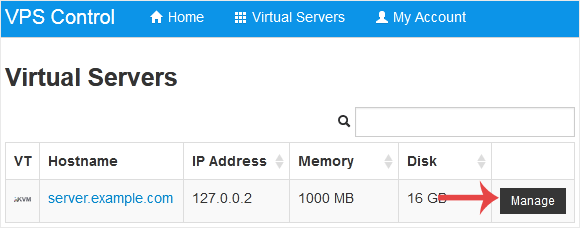
3. Scroll down. Under the Settings tab, you can find the Disk Driver option. Select the appropriate Disk Driver from the drop-down menu.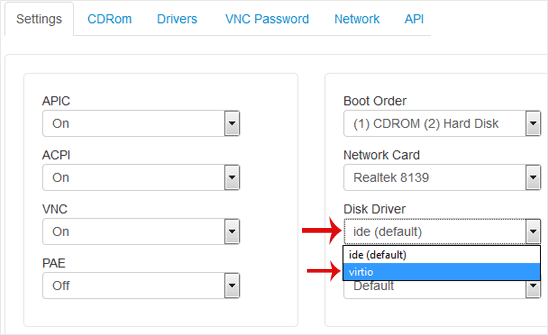
4. Reboot your VPS so that the changes can take effect.
מאגר מידע
אם אינכם יכולים למצוא מענה לפנייתכם במאגר המידע שלנו – אתם יכולים לפתוח פניה למחלקה המתאימה להלן:
How to Change the Disk Driver to Virtio or IDE in SolusVM
0
?האם התשובה שקיבלתם הייתה מועילה
Back
Updated knowledgebase article view